
QuickBooks to bank file in 3 clicks.
QuickBooks doesn't export CPA-005 files. Your bank requires them.
EFT Flow bridges the gap.
The QuickBooks EFT problem
QuickBooks doesn't generate CPA-005 files.
- QuickBooks Online has no native Canadian EFT export
- QuickBooks Desktop Canadian edition is being phased out
- Your bank requires CPA-005 format—nothing else works
- Manual entry means hours of work every pay run
- Copy-paste errors lead to rejected payments
Your exports still work.
You can export payment lists from QuickBooks. You just can't upload them to your bank directly. EFT Flow takes that export and converts it into the exact format your bank needs.
How it works
Your workflow barely changes. The headache disappears.
Accounts Payable, Payroll, vendor payments—any report you can export to Excel.
We auto-detect your columns. Map once, reuse forever.
CPA-005 format, validated before export. Upload to your bank and done.
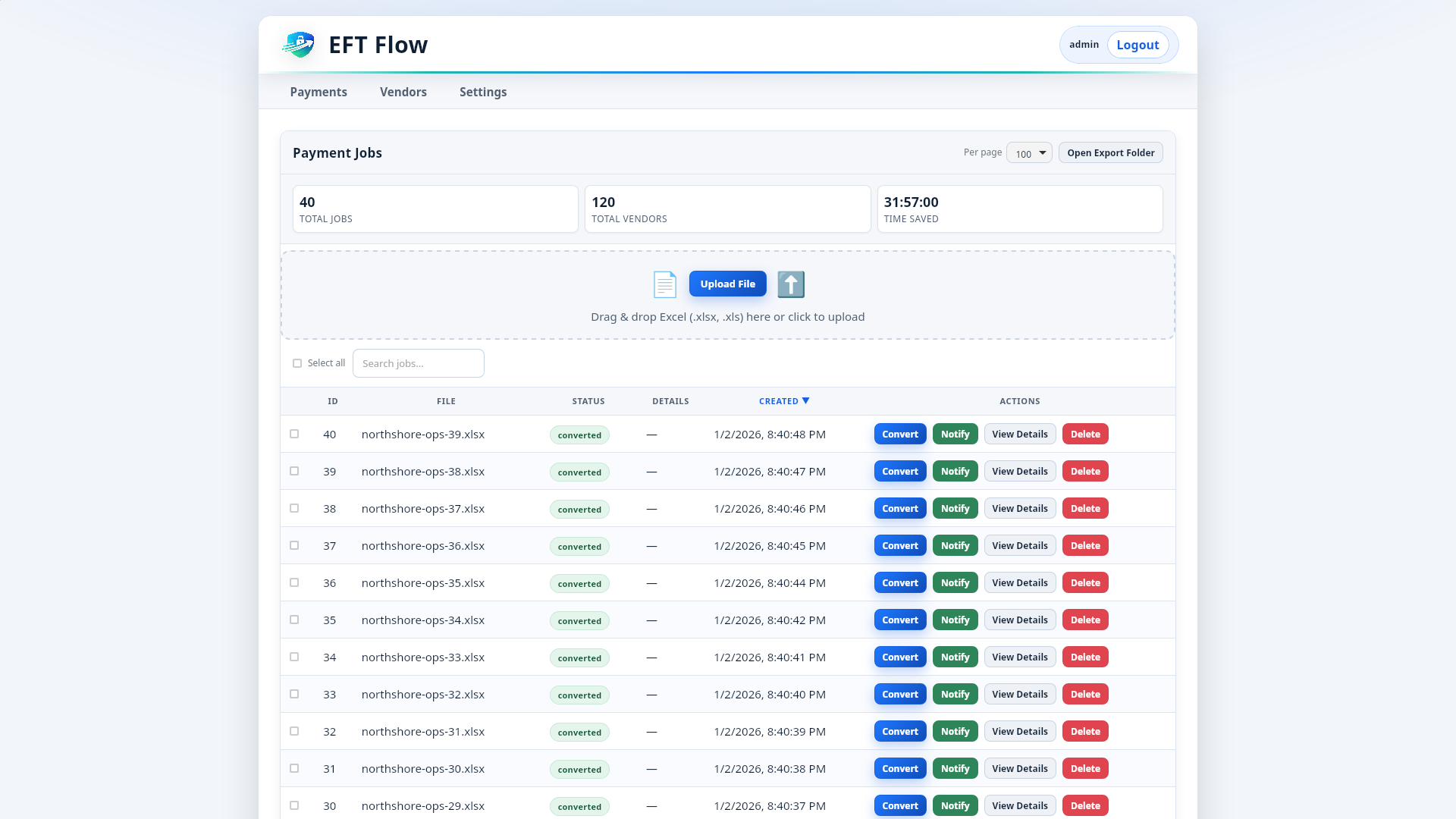
All your QuickBooks exports in one place.
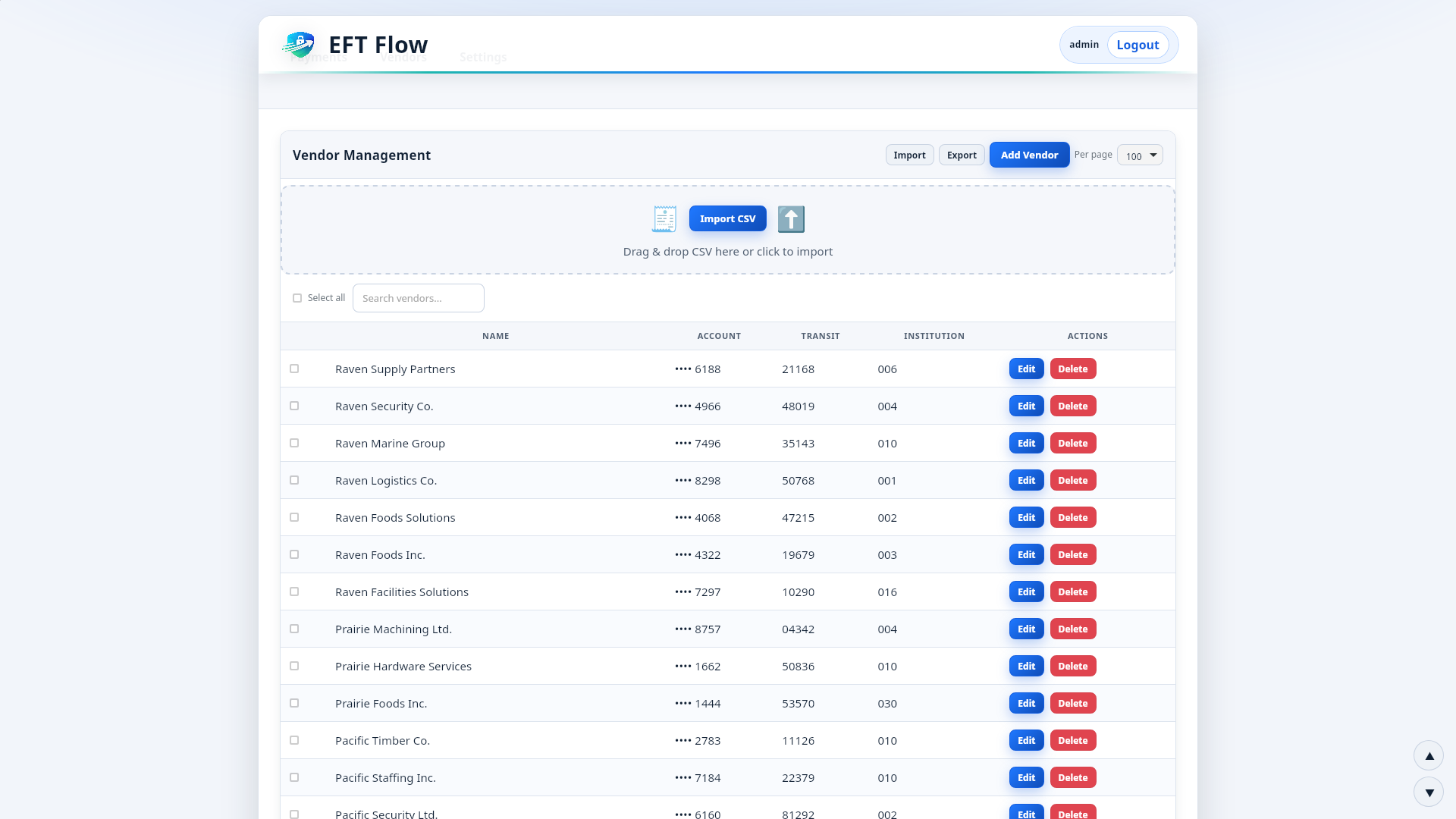
Vendor bank details saved and ready.
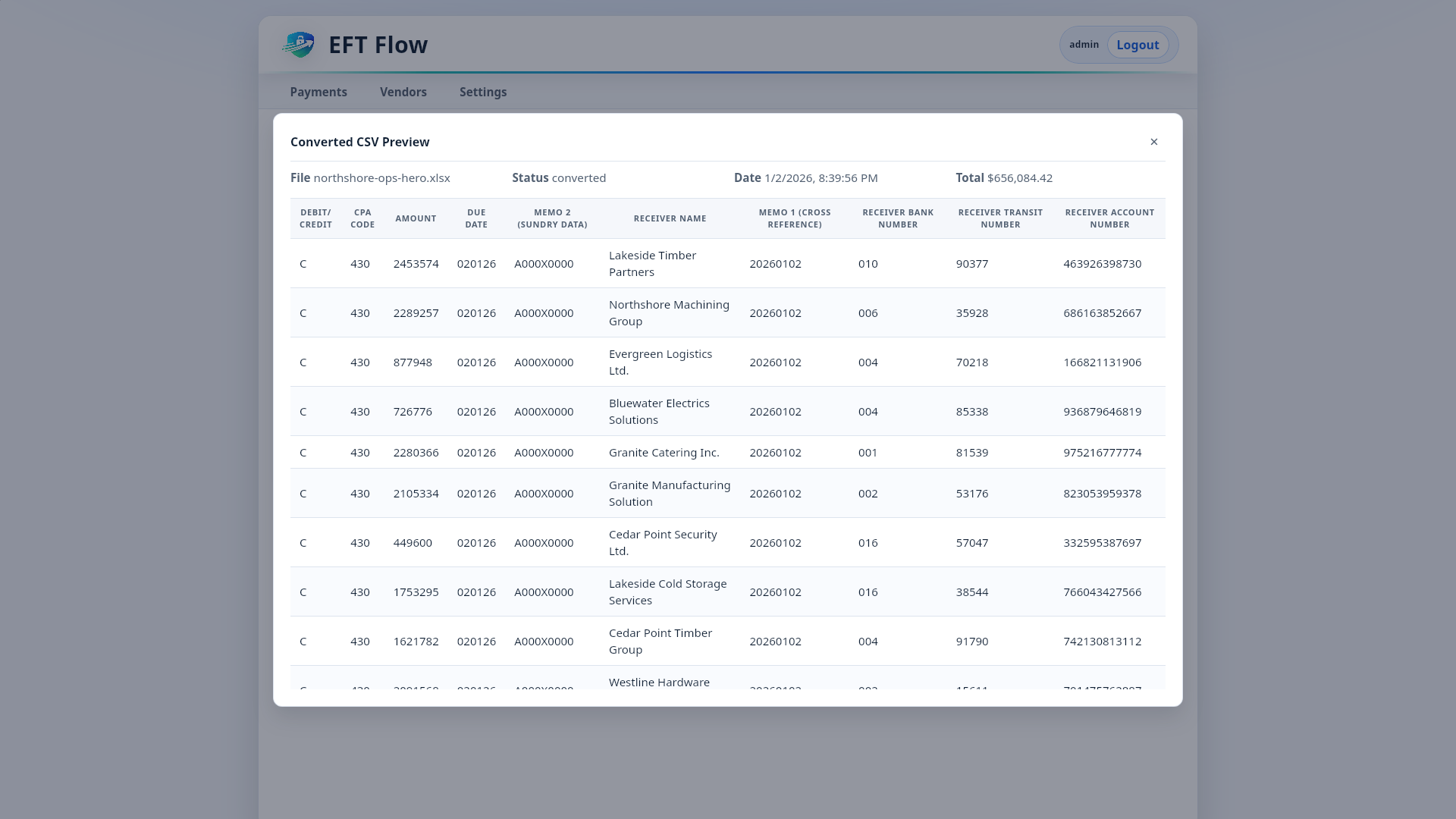
Verify everything before you upload.
Works with any QuickBooks export
QuickBooks Online
- Vendor payment reports
- Accounts Payable exports
- Custom reports to Excel
QuickBooks Desktop
- Pay Bills exports
- Payroll exports
- Any report to CSV/Excel
Any Format
- Excel (.xlsx, .xls)
- CSV files
- Custom column layouts
If QuickBooks can export it, EFT Flow can convert it. Map your columns once—we remember for next time.
QuickBooks + Plooto vs QuickBooks + EFT Flow
Plooto integrates with QuickBooks. So does the math.
QuickBooks + Plooto
- $1+ per transaction
- 100 payments/month = $100/month
- 200 payments/month = $200/month
- 500 payments/month = $500/month
- Your data goes through their servers
- Funds flow through Plooto
QuickBooks + EFT Flow
- $95/month flat
- 100 payments/month = $95/month
- 200 payments/month = $95/month
- 500 payments/month = $95/month
- Your data stays on your machine
- You upload directly to your bank
Annual savings at scale
| Monthly Payments | Plooto/Year | EFT Flow/Year | You Save |
|---|---|---|---|
| 100 | $1,200 | $1140 | $60 |
| 200 | $2,400 | $1140 | $1260 |
| 500 | $6,000 | $1140 | $4860 |
Or pay $2,990 once and own it forever.
"Export from QuickBooks, drop into EFT Flow, upload to bank. What used to take 2 hours now takes 10 minutes. I don't know why I waited so long."
Why QuickBooks users choose EFT Flow
- Works with any export. QuickBooks Online, Desktop, any version. If you can export to Excel, we can convert it.
- No per-transaction fees. Pay flat, process unlimited. Your costs don't grow with your business.
- Your data stays local. Desktop app. Nothing uploaded to the cloud. PIPEDA-friendly by design.
- Map once, export forever. Set up your column mapping once. Every future export uses the same settings.
- Validates before you upload. Catch errors before your bank does. No more rejection notices.
- All Canadian banks. RBC, TD, BMO, CIBC, Scotiabank—if they accept CPA-005, we generate it.
- Lifetime option. Don't want monthly fees? Pay $2,990 once and own it forever.
- Real support. Can't map your file? We'll set it up for you. Free.
QuickBooks + EFT Flow FAQ
Does this work with QuickBooks Online?
Yes. Export any report to Excel or CSV from QuickBooks Online, then import into EFT Flow. Works with vendor payments, payroll, accounts payable—anything you can export.
What about QuickBooks Desktop?
Also works. QuickBooks Desktop's Pay Bills, Payroll, and custom reports all export to formats EFT Flow can read. Map once, reuse forever.
Why doesn't QuickBooks just do this?
QuickBooks is built for the US market (ACH payments). Canadian EFT uses CPA-005—a different format entirely. QuickBooks hasn't built native support for it, especially in QuickBooks Online.
Is this easier than the Plooto integration?
Different approach. Plooto automates everything but charges per transaction and holds your funds. EFT Flow lets you export and upload yourself—more control, no per-transaction fees, your bank sees you (not Plooto) sending payments.
What if my export format changes?
Re-map your columns. Takes 2 minutes. Or contact us—we'll help you set it up.
Can I try it with my actual QuickBooks export?
Yes. Download the free trial, import your real export file, and see it work. Trial exports are limited to 5 vendors so you can test safely.
Ready to simplify your QuickBooks payments?
Download the trial. Import your export. See it work.